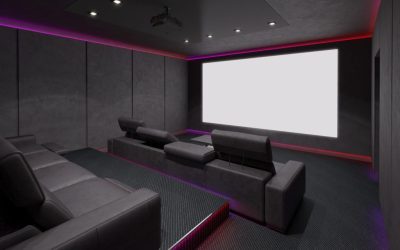
A home theater with multiple media sources should be planned around how each source connects, switches, displays, and integrates with the room’s audio system. A thoughtful home theater system can accommodate streaming, gaming, physical media, live television, and other sources without requiring homeowners to manage a collection of disconnected devices.
Entertainment habits have become increasingly varied. One household might use a streaming device for movies, a gaming console for interactive entertainment, a disc player for a physical collection, and another source for live sports. When all of these devices share one entertainment space, the system needs to be organized around their different connection and control requirements.
For homeowners planning a Home theater setup in Scottsdale, AZ, the challenge is not simply connecting more equipment. It is creating an arrangement that remains understandable and practical when different people use the room for different purposes.
Why Do Multiple Media Sources Require More Planning?
A single display can potentially serve many sources, but each source may have different connection requirements, controls, and usage patterns.
Consider a dedicated entertainment room containing:
- A streaming device
- A gaming console
- A disc player
- A television or other live-content source
- An audio receiver or processor
- A display
- Network-connected equipment
The homeowner may want to switch between these sources without manually reconnecting cables or changing several unrelated settings.
The system therefore needs to establish a logical relationship between the sources, display, and audio components.
This becomes particularly important when several members of a household use the room. A system that makes sense to the person who designed it may not be intuitive to someone who simply wants to watch a movie or start a game.
Which Media Sources Might Be Included in a Home Theater?
The appropriate sources depend on the homeowner’s entertainment habits. There is no requirement for every home theater to include the same devices.
Streaming Devices
Streaming platforms are common sources for movies, television programs, and other content. Some displays have streaming capabilities built in, while other systems may use separate streaming hardware.
The choice can influence how sources are organized and controlled.
Gaming Consoles
Gaming systems can be an important part of a multipurpose entertainment room. They may need to connect to the display and audio system while remaining accessible enough for controllers and other accessories.
A gaming-focused household may therefore prioritize equipment accessibility differently from a room primarily used for movies.
Physical Media
Some homeowners maintain collections of Blu-ray, 4K discs, DVDs, or other physical media. A disc player can be incorporated alongside newer digital sources.
Physical media can also influence room storage, equipment placement, and how the system is organized.
Live Television
Sports fans and other viewers may want access to live television alongside streaming services. Depending on the home’s setup, live programming may come through a television service, tuner, or another compatible source.
The important consideration is that each source should be accounted for when determining how the system will be operated.
How Should Multiple Sources Connect to the Display?
The display is usually the central visual component of a home theater system, but it does not necessarily mean every source needs to connect directly to the display.
The appropriate configuration depends on the equipment being used and how the audio system is structured. Some systems use an AV receiver or processor to manage several sources before sending the appropriate signal to the display.
The exact arrangement should be determined by the equipment specifications and overall system design.
When planning the room, it is useful to identify all intended sources before finalizing equipment locations. This helps prevent a situation where a new source is added later without an appropriate connection or practical place for the device.
Why Is Source Switching Important?
When several sources share an entertainment system, switching becomes part of the everyday experience.
A homeowner may want to move from a streaming movie to a gaming console, then return to live sports later. If each change requires several manual adjustments, the system can become unnecessarily complicated.
A coordinated control approach can make source selection more straightforward.
The exact control method depends on the system. Some setups may rely on remote controls, while more integrated environments can use other control interfaces.
The objective is not to add technology simply for its own sake. It is to make common actions easier for the people actually using the room.
How Does Audio Fit Into Multiple Media Sources?
Multiple sources can produce different types of content, but they may ultimately share the same audio system.
Movies can contain dialogue, music, and cinematic sound effects. Games may rely on directional audio and sound effects. Music sources have their own listening requirements, while live sports may place greater emphasis on commentary and crowd sound.
A properly planned system should account for these different uses without requiring the homeowner to manually reconfigure the entire audio environment every time the source changes.
A home theater installation can be particularly useful when several sources need to work together because equipment selection, connections, speaker configuration, and controls all need to function as a coordinated system.
What Should Be Considered When Choosing Equipment?
Equipment should be selected based on the requirements of the complete system rather than the specifications of one component in isolation.
For example, choosing a display without considering the sources that need to connect to it can create limitations later. Similarly, selecting an audio component without considering the number and type of sources can restrict how the finished system operates.
Before equipment is finalized, homeowners should consider:
- How many sources will be connected?
- Which sources will be used most often?
- Where will each device be located?
- How will sources be selected?
- Where will audio be processed?
- How will equipment receive network connectivity when required?
- How accessible will the components be?
- Could another source be added later?
These questions help establish the system requirements before individual components are selected.
How Can Equipment Be Organized?
Equipment organization becomes more important as the number of sources increases.
A collection of devices placed randomly around a room can create cable clutter, make troubleshooting difficult, and complicate everyday operation.
Depending on the room, equipment may be organized in cabinetry, an equipment area, or another suitable location.
However, concealment should not come at the expense of access. Components may eventually need to be replaced, disconnected, adjusted, or serviced.
Ventilation should also be considered for equipment that generates heat. The appropriate requirements depend on the specific components and manufacturer recommendations.
For a custom home, these considerations can be coordinated with cabinetry, interior finishes, and architectural details before construction is complete.
Should Every Media Source Be Accessible?
Not necessarily.
The level of accessibility can depend on how frequently each source is used.
A gaming console that is frequently changed or accessed may benefit from a more convenient location. A component that rarely requires physical interaction can potentially be positioned farther from the primary seating area.
The important consideration is to distinguish between accessible enough for its intended use and completely hidden.
A well-organized entertainment room can keep equipment visually unobtrusive while still allowing homeowners to reach the components that need regular interaction.
How Does Network Connectivity Affect Media Sources?
Some entertainment sources rely on a home’s network for streaming, updates, content access, or other functions.
This means the media-source plan may need to account for more than audio and video connections.
Network requirements vary by device, so homeowners should consider the actual equipment being used rather than assuming every system requires the same infrastructure.
In a custom home, entertainment technology can also be considered alongside broader structured wiring requirements. This can help prevent the home theater from becoming an isolated technology system that does not align with the rest of the home’s infrastructure.
What If the Home Theater Is Also Used for Gaming?
A multipurpose room may need to accommodate gaming alongside movies and television.
Gaming can introduce additional considerations around equipment access, display characteristics, controller storage, and source switching.
For example, a household may want the gaming console positioned where it is easy to access while keeping other equipment organized elsewhere.
The room can still maintain a cohesive design as long as these requirements are considered during planning.
The important point is to avoid designing the entertainment system exclusively around one activity if the room will regularly support several.
How Can Physical Media and Streaming Coexist?
Physical media and streaming do not necessarily require separate entertainment spaces.
A homeowner can use a disc player for a physical collection while relying on streaming services for other content. The two approaches can coexist within the same system when the equipment and connections are planned accordingly.
Physical media may introduce additional considerations for storage and equipment access. A large collection could require dedicated cabinetry or shelving, while a smaller collection may require only limited storage.
The room should be designed around the homeowner’s actual habits rather than assuming that one media format will replace all others.
How Can Multiple Sources Be Made Easier for Guests to Use?
A home theater may be used by people who are not familiar with its equipment.
Guests may not know which device controls the display, how to switch sources, or which input corresponds to a particular activity.
A straightforward control arrangement can make the system more approachable.
This is one reason usability should be considered during a home theater system setup. A technically sophisticated system is not necessarily successful if ordinary users cannot operate it comfortably.
Simple labeling, logical source organization, and appropriately selected controls can help reduce confusion.
What Should Homeowners Consider During a Custom Home Build?
New construction can provide an opportunity to consider multiple media sources before the room is finished.
The builder, designer, and AV professionals can coordinate equipment locations, wiring pathways, cabinetry, displays, speakers, and control requirements while the project is still being developed.
This is particularly relevant when the entertainment room includes built-in cabinetry or architectural features. It is easier to coordinate technology before those elements become permanent.
For homeowners considering a home theater system in Scottsdale, discussing the intended sources early can help establish a more coherent plan for equipment, wiring, and controls.
The goal is not to predict every device that may be purchased in the future. Instead, the system should have a sensible structure that accommodates the sources the household actually uses.
How Can a Home Theater Remain Flexible as Sources Change?
Media habits can change over time. A homeowner may add a gaming system, replace a streaming device, switch display technology, or decide to incorporate physical media into the room.
A flexible system should make reasonable changes possible without requiring the entire room to be redesigned.
This can involve maintaining practical equipment access, coordinating wiring pathways, allowing appropriate space in cabinetry, and selecting components based on the complete system.
Future flexibility does not mean installing every possible connection or purchasing equipment based on hypothetical technologies. It means avoiding unnecessary restrictions during the original planning process.
What Are Common Problems With Multiple Media Sources?
Several problems can emerge when sources are added without considering the overall system.
Too Many Uncoordinated Controls
Multiple remotes and separate interfaces can make source switching confusing.
Poor Equipment Organization
Disorganized equipment can make connections difficult to identify and access.
Insufficient Connections
A system may become restrictive if the number or type of connections was not considered during planning.
Limited Equipment Access
Components that are difficult to reach can make ordinary changes more complicated.
Inadequate Ventilation
Enclosed equipment areas may require appropriate airflow based on the installed components.
Designing Around Only One Activity
A room built exclusively around movies may become less useful if the household also wants to use it for gaming, sports, or other entertainment.
These problems are easier to address before installation than after the room is finished.
How Should a Home Theater With Multiple Sources Be Planned?
The best approach begins with understanding how the room will actually be used.
List the sources that are important today, determine how they need to connect, establish where equipment will be located, and consider how users will switch between activities. Then evaluate the display, audio system, controls, wiring, network requirements, cabinetry, and accessibility as parts of one environment.
A home theater setup should ultimately make it easier to enjoy different forms of entertainment rather than making the technology itself the focus.
For homeowners in Scottsdale, careful planning can also help the entertainment system work naturally within the architecture of the home. This is especially relevant for custom residences where cabinetry, finishes, equipment storage, and wiring may all be coordinated during construction.
About Imagine Audio Video
Imagine Audio Video is a Phoenix-based residential and commercial audio/video integration company serving the greater Phoenix area, including Scottsdale, with services centered on home theater, home audio, distributed AV, and structured wiring. The company has operated in Arizona since 1999, uses professionally trained technicians, and offers a one-year residential warranty. Homeowners can Find their office on Google Maps, and their phone number is 480-497-6734.